Open-source · github.com/YuZh98/latex2arxiv







Submit to arXiv without the headache. One command cleans your project, catches rejection-causing errors, and walks you through the upload.
Who is this for?
You write in Overleaf and you’re heading to arXiv. Two ways in:
- No install — clean it in the browser. The Chrome extension adds a “Clean for arXiv” button right inside the Overleaf editor. Your project never leaves your browser.
- Comfortable in a terminal?
pip install latex2arxiv— one command cleans, checks, and packages your paper.
First time submitting to arXiv? Your paper compiles fine locally, yet arXiv can still reject it for reasons nobody warned you about — shell-escape packages, a missing .bbl, oversized figures. latex2arxiv catches those before you upload and writes a copy-paste-ready walkthrough of the submission form.
Your original project is never modified — all output goes to a new
_arxiv.zip.
Quickstart — Overleaf to arXiv in 3 steps
- In Overleaf: Menu → Download → Source saves
my_project.zip. - Clean and verify:
1
2
pip install latex2arxiv latex2arxiv my_project.zip --compile --guide - Upload: a new
my_project_arxiv.zipappears next to the input — upload it at arxiv.org/submit. The--guidetext file walks you through every field on the form.
New to the terminal? The step-by-step Overleaf → arXiv guide covers opening a terminal, PATH fixes, and git-synced projects. Prefer zero install? The Chrome extension does the same from inside Overleaf. Want to see it work first? Try the built-in demo — no file needed: latex2arxiv --demo --compile --guide.
Also useful for: gating a paper repo in CI (latex2arxiv paper.zip --dry-run exits non-zero on errors) and stripping revision markup like \added{} / \textcolor{red}{} (custom rules →).
Before / After
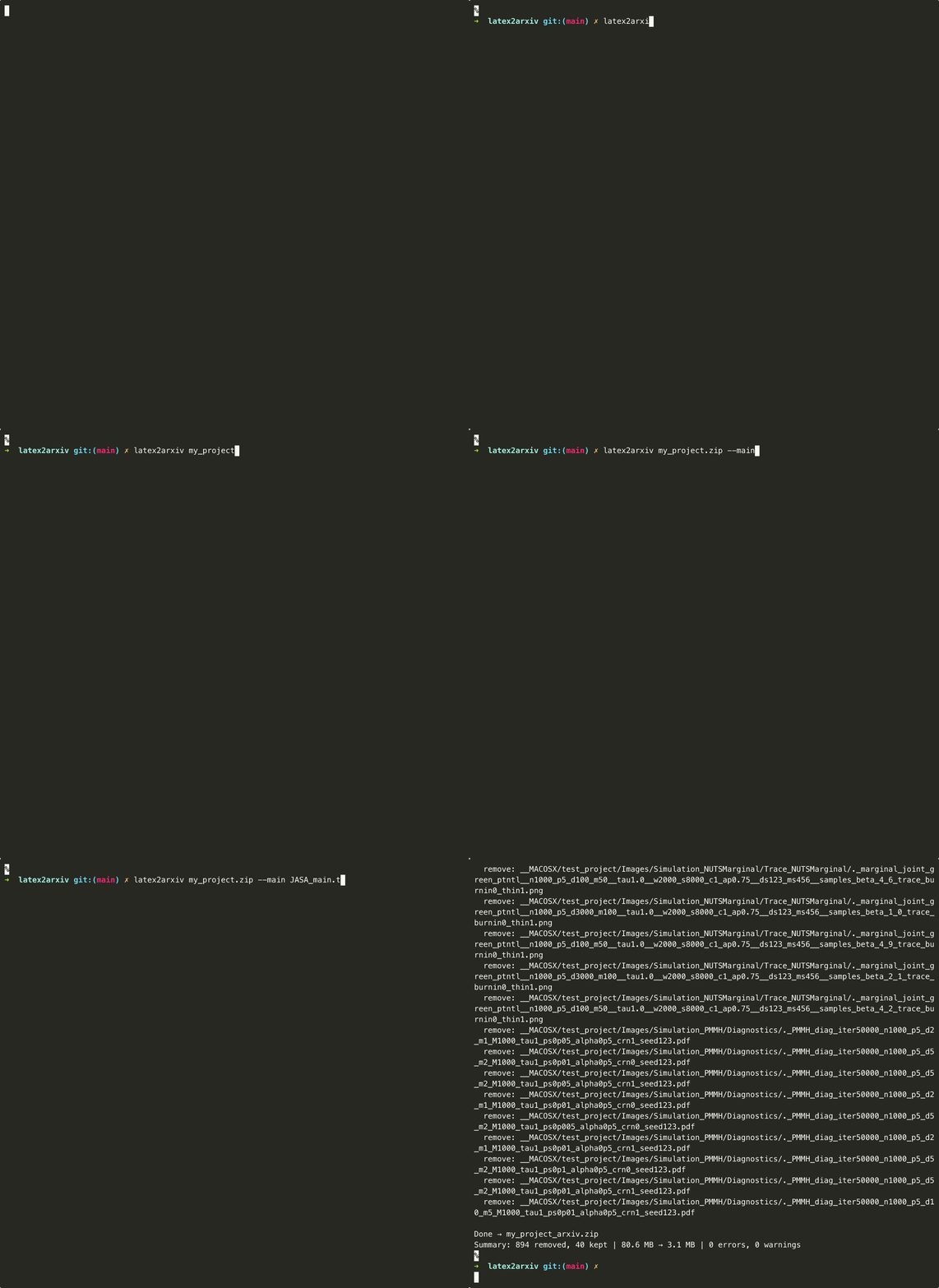
On a real statistics paper (arXiv:2504.11630): 934 → 40 files, 80.6 MB → 3.1 MB.
| Before (Overleaf export) | After (latex2arxiv output) |
|---|---|
| 📁 Images/ | 📁 Images/ |
| 📄 JASA_main.tex | 📄 JASA_main.tex |
| 📄 JASA_main_backup.tex | 📄 ref.bib |
| 📄 main_bak_svm.tex | 📄 Supplementary_Materials.tex |
| 📄 cover_letter.md | |
| 📄 response.tex | |
| 📄 ref.bib | |
| 📄 JASA_main.aux/.log/.bbl/.pdf | |
| 📁 jasa_comments/, jasa_revision/ | |
| … (and ~930 more) | |
| 934 files, 80.6 MB | 40 files, 3.1 MB |
What it does
| Feature | What it does | |
|---|---|---|
| 📦 | One command, any input | Accepts a .zip, directory, or git URL; outputs an arXiv-ready .zip; optionally compiles and opens the PDF for review |
| ✂️ | Prunes your project to submission-ready | Keeps only files reachable from your main .tex; removes build artifacts, editor files, cover letters, unused figures |
| 🧹 | Cleans your .tex | Strips comments, removes \todo{} / \hl{} / draft packages, handles nested braces correctly (\deleted{see \cite{x}} works) |
| 🚨 | Catches submission blockers before you upload | [error] for shell-escape packages that will fail on arXiv (minted, pythontex); [warn] for biblatex without .bbl, missing index files, oversized output, undefined citations, problematic filenames — full list |
| 🗺️ | Guides you through upload | --guide extracts title, authors, abstract, page/figure/table counts and writes a step-by-step arXiv upload walkthrough |
Also: --flatten (single-file output, docs), --json (CI integration, schema), --resize (image downscaling), --dry-run (preview without writing), BibTeX normalization, \pdfoutput=1 injection.
Dependency tracking respects \input, \include, \subfile, \includegraphics, \graphicspath, and \bibliography. Commented-out commands are ignored.
Upload guide (--guide)
Pass --guide and latex2arxiv writes a plain-text file alongside your output zip with everything you need for the arXiv upload form:
| |
No more guessing what goes where.
Same engine, five surfaces
The same Python pipeline runs in all five. Pick what fits.
Terminal — latex2arxiv
Full flag surface, fastest path. latex2arxiv paper.zip --compile --guide. Installs via pip or brew (details below).
Chrome extension — Overleaf
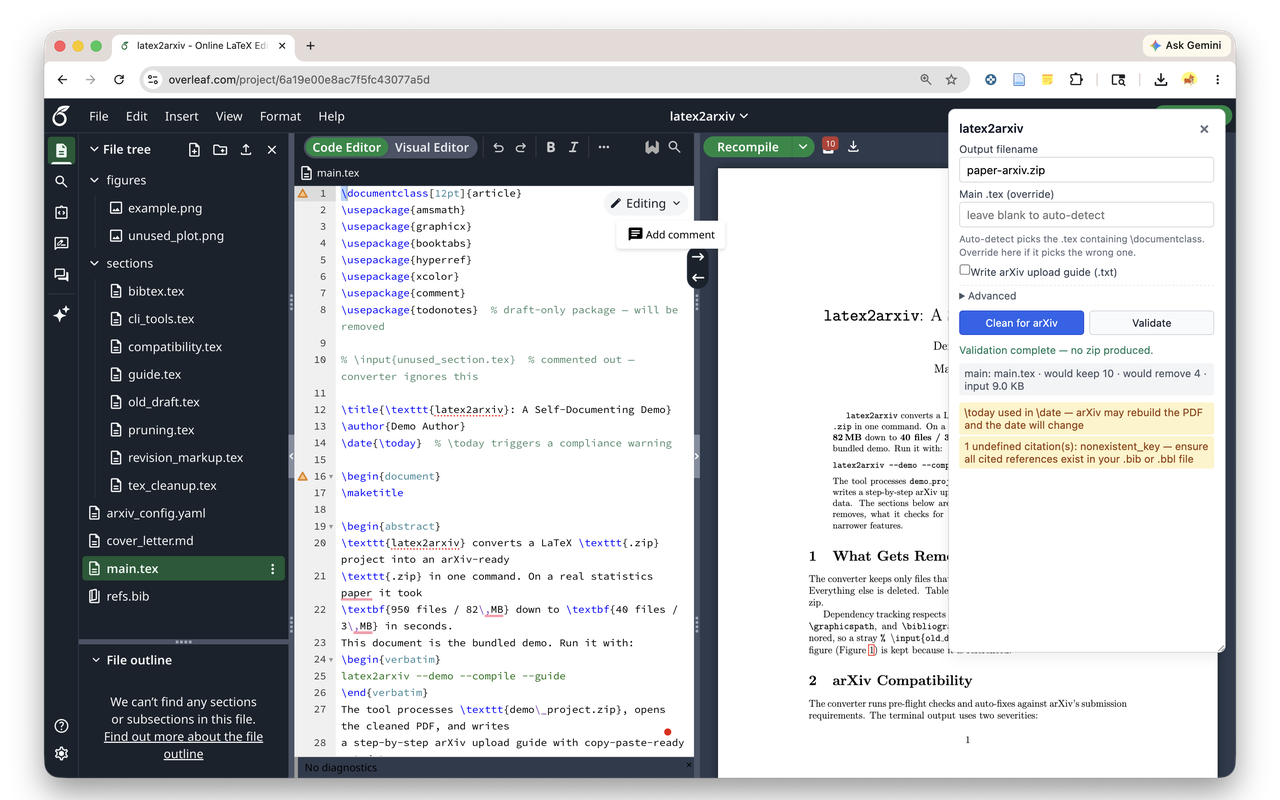
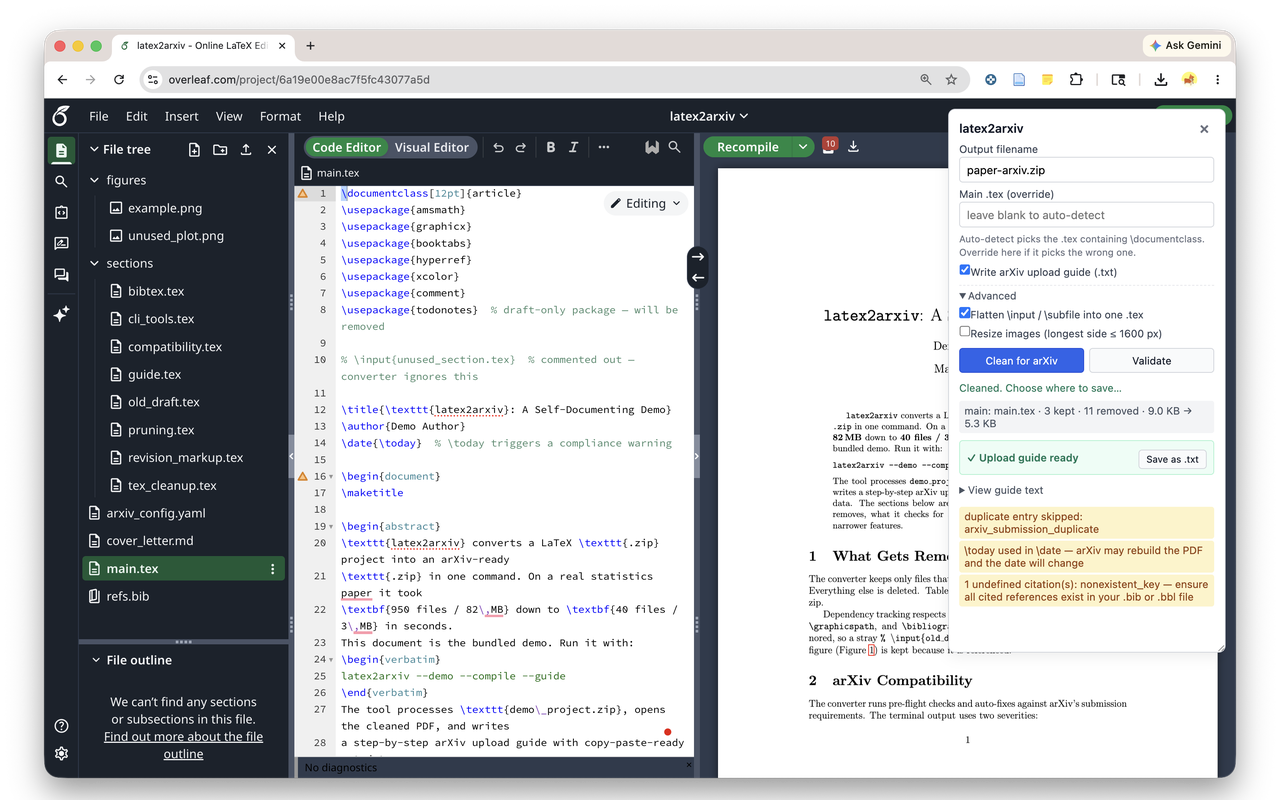
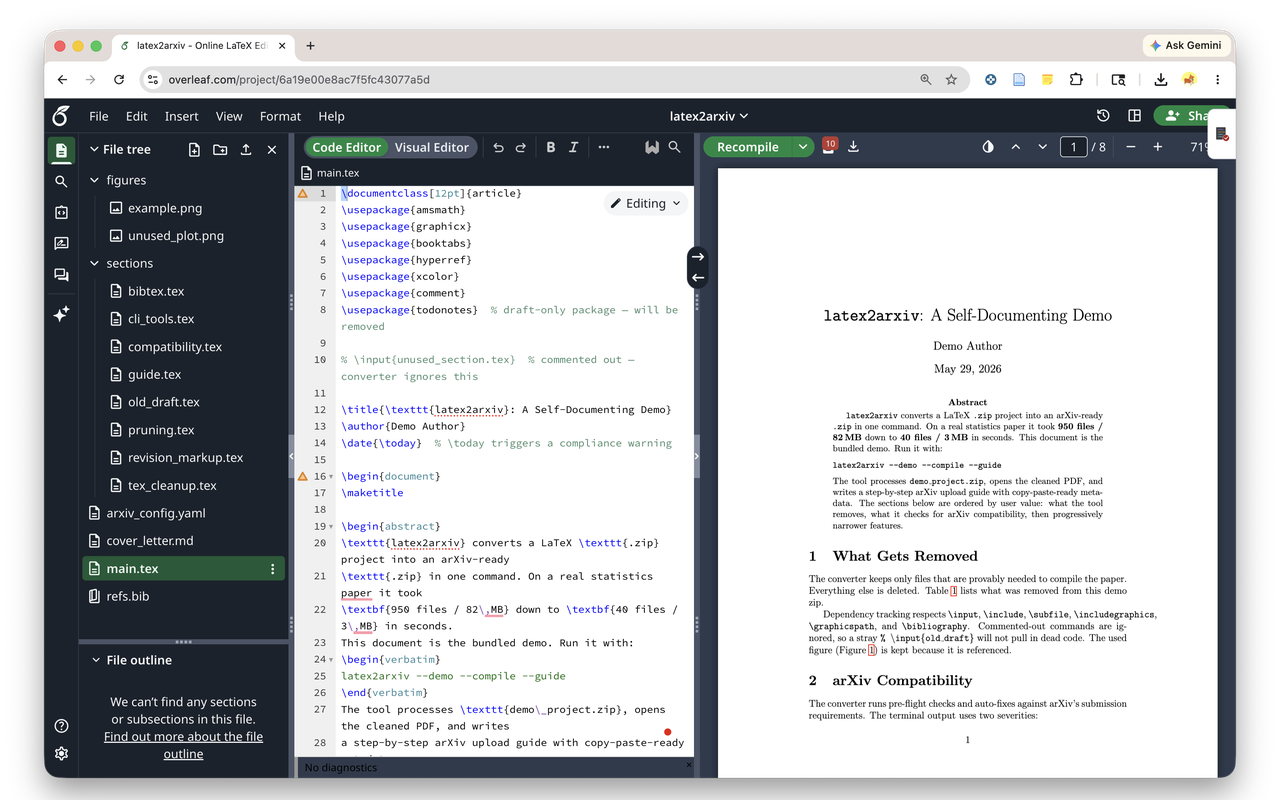
“Clean for arXiv” button inside the editor. Runs in an offscreen Pyodide worker; project bytes never leave your browser. Get it on the Chrome Web Store. Source: browser-extension/.
| Validate | Clean for arXiv | Collapse |
|---|---|---|
 |  |  |
MCP — Claude, Cursor, Copilot, Windsurf, Zed
| |
| |
Per-editor paths: docs/mcp.md.
GitHub Action — CI gate
| |
Fails the build on [error] issues. Also ships as a pre-commit hook (latex2arxiv-dryrun).
VS Code
ext install YuZh98.latex2arxiv. Status-bar action on the active .tex file.
Installation
| |
If you get an
externally-managed-environmenterror frompip, usepipx:
| |
On macOS, install via Homebrew (no Python toolchain required):
| |
First
brew installbuilds Pillow from source. To avoid 5+ min silence, add--verboseto monitor installation progress.
Or from source:
| |
pdflatex is required only for --compile (install via TeX Live or MacTeX).
Usage
| |
input can be a .zip file, a directory of LaTeX sources, or a git URL (https or ssh). Directories are zipped internally; git URLs are cloned with --depth 1.
| Flag | Description |
|---|---|
--main FILENAME | Specify the main .tex file (e.g. JASA_main.tex). Auto-detected via \documentclass if omitted. |
--resize PX | Resize images so longest side ≤ PX pixels (e.g. --resize 1600). Requires Pillow. |
--config FILE | YAML config file for custom removal rules (see below). |
--compile | Run pdflatex on the output and open the resulting PDF. |
--guide | Write a detailed arXiv upload guide (metadata + step-by-step instructions) to a text file alongside the output. |
--dry-run | Preview what would be removed/processed without writing any output. |
--flatten | Inline every \input / \include / \subfile into the main .tex for single-file output. Details. |
--json | Emit a machine-readable JSON summary on stdout; route progress to stderr. Schema. |
--demo | Run the built-in demo project (no input file needed). |
--clean-demo | Remove demo output files (demo_project_arxiv*). |
--version | Print version and exit. |
Examples
| |
Pre-flight checks
Before producing the output zip, latex2arxiv validates the project against arXiv’s LaTeX submission guide. [error] lines block submission (the tool exits non-zero, useful for CI gating); [warn] lines are advisory and do not affect the exit code.
| |
Either [error] line would have caused arXiv to reject the submission after upload. The exit code is non-zero on errors, so a CI step like latex2arxiv paper.zip --dry-run fails the build before the bad submission ever leaves the repo.
See docs/pre-flight.md for the full list of checks and silent fixes.
Custom removal rules (--config)
For revision markup and other project-specific cleanup, create a YAML config file. A template is in arxiv_config.yaml.
If your project root contains
arxiv_config.yaml, it is applied automatically — no need to pass--config.
| |
The brace-balanced matcher correctly handles nested commands like \deleted{see \cite{x}}. Unknown top-level keys warn — typos like command_to_delete (singular) no longer silently no-op.
Image size reduction
latex2arxiv covers cleaning, pre-flight validation, and producing the upload-ready .zip. For aggressive image transcoding it pairs cleanly with arxiv_latex_cleaner, which adds PDF compression (Ghostscript) and PNG → JPG conversion — run it first, then latex2arxiv. Or stay in one tool with the built-in latex2arxiv --resize PX.
Known limitations
Dynamically constructed filenames — \includegraphics{\figpath/fig1} cannot be resolved statically and the image will be deleted. Expand path macros before running.
\subfile vs \input path resolution — \input/\include paths resolve relative to the project root; \subfile paths resolve relative to the subfile’s own directory. Unusual nested setups may cause images to be incorrectly pruned; use --compile to verify.
--compile is a local sanity check — a successful local compile doesn’t guarantee arXiv will compile it. arXiv pins specific TeX Live versions. Always check the arXiv submission preview after uploading.
FAQ
1. arXiv rejected my submission even though latex2arxiv said it was clean. Pre-flight catches the documented submission-blocking patterns. arXiv pins specific TeX Live versions and occasionally surfaces new edge cases — always run the arXiv submission preview after upload. If you hit a reproducible miss, file an issue with your project zip.
2. What’s the difference between [error] and [warn]?
Errors block submission and exit the tool non-zero — use them to gate CI. Warnings are advisory: the build will likely succeed on arXiv but a human should look. Example: missing .bbl is a warn (arXiv will run BibTeX); \usepackage{minted} is an error (shell-escape isn’t allowed).
3. My main .tex isn’t being auto-detected correctly.
Auto-detection ranks files containing \documentclass by \input reference count. For ambiguous projects (response letters next to the paper, multiple \documentclass files), pass --main paper.tex explicitly.
4. Will this modify my original files?
No. All output goes to a new _arxiv.zip (or whatever path you pass). The source project is read-only.
5. My CI step keeps failing on what I thought were just warnings.
Warnings don’t fail CI. If your build is failing, it’s an [error] — read the message. Use --json for a machine-readable summary.
6. Why does brew install hang for 5+ minutes?
Homebrew compiles Pillow’s C extensions from source and suppresses progress output. Add --verbose to see what’s happening.
⭐ Found this useful? Star on GitHub — it helps others find the tool.
🐛 Issues or feature requests: github.com/YuZh98/latex2arxiv/issues
📦 Install: pip install latex2arxiv · brew install latex2arxiv (after brew tap YuZh98/latex2arxiv)
🎬 Try the demo: latex2arxiv --demo --compile --guide
Made by Hugh Zheng · MIT License